


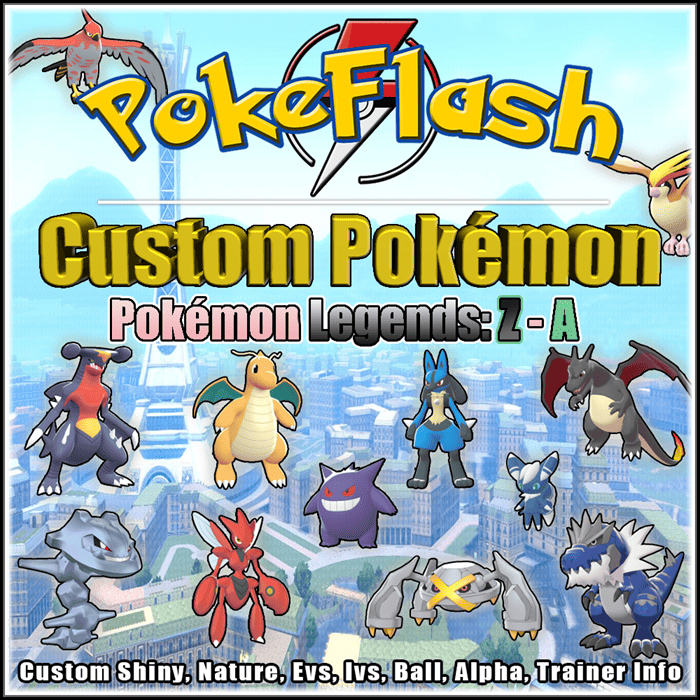

Choose your Pokemon and decide Nature, Evs, Ivs, Moves, Item, Alpha, Shiny or no, Ball, etc! Available only in Legends Z – A
SHOWDOWN FORMAT:
This format is the fastest to be processed and avoids errors, as our program can read exactly what is sent to us if it is properly formatted. If you want to do it manually feel free, but know that any mistake as a lack of space between words or incorrect position edited by the customer can prevent reading our program, so we advise you to use the small tutorial that is available below on this page if you do not know the Showdown format and wanted to take advantage of the discount offered on the purchase by selecting this method.
To do the Showdown format:
- Go to play.pokemonshowdown.com/teambuilder
- Click New team > Select a format > Select Legends Z-A OU
- After customizing the Pokémon, click in “Import/Export” (located at the top of the page) and a formatted text will appear as in the example below, just copy that text and paste it into the Note Box that is on the checkout screen when you are completing your purchase.
- Note that at Showdown it is not possible to select attributes such as OT and the Ball that the Pokemon is inside, you will have to do this manually (keep reading the guide which has an explanation of how to do this below), make sure to do exactly as in the model of the second Dragapult.
- When changing the text manually make sure to carefully observe the words and especially the spaces, and do not forget the initial upper case, otherwise the program will not recognize it and your request will not be properly shown in “Showdown” format.
Example 1 (Basic):
Lucario (M) @ Master Ball
Level: 100
EVs: 252 HP / 252 Atk / 6 SpD
Shiny: Yes
Alpha: Yes
Adamant Nature
– Swords Dance
– Bulldoze
– Bullet Punch
– Brick Break
How to add Trainer Info, change ball and Language:
If you want to customize even more, you can manually add up to 5 extra lines after using Showdown. They are:
Note: See the Dragapult example below for the correct position to insert these lines. They should be inserted just below the line with the Pokémon’s name (and don’t insert any lines after the moves).
TID: It’s your 6-digit trainer number, is located in your player information or that of a Pokémon Captured by you.
OT: Your Original Trainer, is the nickname you use in your game.
Ball: Defines which ball the Pokémon will be inside.
Language: It is the language of your Pokémon. To make it easier, if you want to change the language you can add just the number, for that use the corresponding code: (1-JPN); (2-ENG); (3-FRE); (4-ITA); (5-GER); (7-ESP), (8-KOR), (9-CHS), (10-CHT). If you want English, you don’t need to add this line, as this is the default language.
Note (READ!):
- Don’t use space where there isn’t one, don’t change the symbols (for example using the “=” sign instead of “:“), etc. Make sure the lines are exactly like the example below! Just change your trainer info, ball and language if you want.
Example 2 (Trainer Info, Ball, Language, Ultra Shiny):
Lucario (M) @ Master Ball
TID: 111111
OT: Ash
Ball: Ultra Ball
Language: 2
Level: 100
EVs: 252 HP / 252 Atk / 6 SpD
Shiny: Yes
Alpha: Yes
Adamant Nature
– Swords Dance
– Bulldoze
– Bullet Punch
– Brick Break
MANUAL FORMAT:
If you don’t feel like it, take the time or don’t want to go to another site feel free to select this method. It takes a little longer than the first because our genner needs to make each modification manually, different from the other that is done in just 2 clicks, so this method is a little more expensive and takes a little longer to be delivered. Below is an example of all the information that can be changed in Pokémon. Note that in some fields we inform our default values, if they are according to your taste just remove these lines when copying in the Note Box on the checkout screen.
- Pokémon:
- Rarity Normal/Shiny/Ultra Shiny: (some Pokémon are shiny-locked in game! Ex. Zygarde, Yveltal and Xerneas)
- Gender: Male/Female (if available)
- Nickname: (fill in this field if you want a nickname, otherwise you can remove this line)
- Level: (default is 100)
- Nature:
- Held Item: (make sure the chosen item is available in current versions)
- Alpha: Yes/No
- Language: (default is English)
- Form: (if available)
- Type of ball:
- IVs: (default is 31 in all stats)
- EVs:
- Attack Moves:
- Original Trainer (OT): (default is Ash)
- Trainer ID (TID):
Notes (READ!):
- All details that are not specified in the order will be sent with the defaults value established by us.
- If you want Pokémon of lower levels, it is recommended not to put them as Alpha, as they are usually obtained at higher levels.
- If you put a move that the Pokémon cannot learn, it can be sent without any of the moves you chose, because we don’t have time to check them one by one to find out which one is wrong. You need to be sure of the moves before submitting the build, you can consult it on several websites, the one we like to use the most is: https://pokemondb.net/pokedex!
- When using the showdown format feel free to contact us if you need help understanding some steps in the guide, you can also send us a build to see if it’s the way you need it! We are here to help too! But please understand that it is not our responsibility to verify every line of the Pokémon build you place in the order, this is something you need to make sure is properly formatted before including in the order, so if in doubt ask before receiving or placing your order. When you make a request in showdown format we just COPY and APPLY it to the program, and it generates us the 100% legit Pokémon! If there are wrong lines in the build that you send us, the program will simply ignore it because it cannot interpret it. So BE CAREFUL especially when editing the showdown build manually! After the order is delivered we WILL NOT CHANGE your Pokémon if you make a mistake in any line of the build.
 Pokémon legality checked Tradable online Can be deposited in Homebank Admissible in online Ranked Battles, Official Tournaments and Raids
| Pack Choice | Single (1), Trio Pack (3), Party Pack (6), 2 Party Pack (12) |
|---|---|
| Format for Customization | Showdown Format, Manual Format |
Only logged in customers who have purchased this product may leave a review.
Related products






Reviews
There are no reviews yet.